
Showing posts with label video converter. Show all posts
Showing posts with label video converter. Show all posts
Sunday, July 29, 2012
Top 4 Online File and Video Converters
There are so many commonly used formats of files in our daily working/entertainment time. Yet, from time to time, we may get trouble in file formats since many software just don't support certain kind of formats we have. Thus we need conversion tools. Here I recommend you some nice website conversion tools without downloading software, you can get your file converted in an easy way.
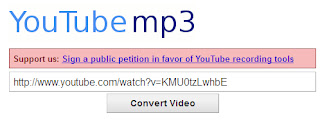 1. You Tube-mp3.org. This website, completely free and simple, though now caught trouble in being sued by Google, certainly make it convenient for users to get audio from YouTube. It can help convert YouTube videos to audio format of mp3 format. Simply copy and paste the url of YouTube videos you like, the audio format will be ripped from the videos. Hope this website could survive somehow.

Wednesday, July 18, 2012
MP3 Conversion Legal-You Tube-mp3.org Claimed
Google has not had the easiest of times getting publishers on board for all the content being posted on YouTube by its users. As well as setting up a copyright infringement detection system, Google also allows publishers to place and earn revenue from adverts next to videos that contain content they own–regardless of who uploaded it.

With the publisher relationships seemingly under control, YouTube now faces another problem that can’t be solved easily. The problem is one of content rippers–websites and browser plug-ins that make it quite simple for someone to download individual videos or just their audio.
One such service is hosted at YouTube-mp3.org and allows users to rip the audio from YouTube videos. Google has got its lawyers on the case and issued the site owner, 21-year-old student Philip Matesanz, with a cease and desist letter for breaking YouTube’s Terms of Service. But Matesanz is refusing to co-operate, stating the law is on his side.
YouTube-mp3.org is on Google’s radar because it is so popular. Traffic to the ripping site is thought to be around 1.3 million hits a day. That’s a serious amount of audio ripping from YouTube’s servers, and it’s sure to have more than a few publishers upset.
Google has blocked the site from accessing YouTube, but Matesanz has consulted with his own lawyers and decided to fight. It seems converters and recorders are protected by German federal law allowing users to create private copies of media such as that offered by YouTube. He also claims no Terms of Service violations have occurred due to the way in which his site rips the audio.
As well as deciding to fight, Matesanz started a petition in an attempt to get converters and recorders allowed on YouTube. At the time of writing it has received 345,183 of a required 500,000 signatures. As one of the commenters on the petition points out, it’s ridiculous you can be classed as a criminal for copying something available to you 24 hours a day on YouTube.
It’s very unlikely the petition will change anything to do with YouTube’s policies. It also seems unlikely Google will back down with its legal threats against Matesanz. But as he rightly points out, anyone and everyone can rip content from YouTube, and if his lawyers are correct, they have a legal right to do so in Germany at least.
From geek

With the publisher relationships seemingly under control, YouTube now faces another problem that can’t be solved easily. The problem is one of content rippers–websites and browser plug-ins that make it quite simple for someone to download individual videos or just their audio.
One such service is hosted at YouTube-mp3.org and allows users to rip the audio from YouTube videos. Google has got its lawyers on the case and issued the site owner, 21-year-old student Philip Matesanz, with a cease and desist letter for breaking YouTube’s Terms of Service. But Matesanz is refusing to co-operate, stating the law is on his side.
YouTube-mp3.org is on Google’s radar because it is so popular. Traffic to the ripping site is thought to be around 1.3 million hits a day. That’s a serious amount of audio ripping from YouTube’s servers, and it’s sure to have more than a few publishers upset.
Google has blocked the site from accessing YouTube, but Matesanz has consulted with his own lawyers and decided to fight. It seems converters and recorders are protected by German federal law allowing users to create private copies of media such as that offered by YouTube. He also claims no Terms of Service violations have occurred due to the way in which his site rips the audio.
As well as deciding to fight, Matesanz started a petition in an attempt to get converters and recorders allowed on YouTube. At the time of writing it has received 345,183 of a required 500,000 signatures. As one of the commenters on the petition points out, it’s ridiculous you can be classed as a criminal for copying something available to you 24 hours a day on YouTube.
It’s very unlikely the petition will change anything to do with YouTube’s policies. It also seems unlikely Google will back down with its legal threats against Matesanz. But as he rightly points out, anyone and everyone can rip content from YouTube, and if his lawyers are correct, they have a legal right to do so in Germany at least.
From geek
Friday, July 13, 2012
How to Convert le Tour de France HD Video
The annual Tour de France 2012 (June 30 to July 22), is proceeding fiercely these days. During the period, excited fans would like to view the racing, with a camera or HDV, they’d like to record the competition and then bring home for enjoying and memorizing.
Generally speaking, HDV video format is MTS, which is not compatible with most portable video devices like smartphones. In addition, the MTS video is way too clumsy for these devices or for sharing on the internet. To solve this annoying trouble, and make the tour de France video you’ve recorded usable, Leawo HD Video Converter is a super assistant, since it offers solutions of video conversion. With such first-rate program, MTS or M2TS can be converted to some more applicable video formats, say mp4.
The following suggestion is for your reference:

1. Tour de France videos input.
After Leawo HD Video Converter being downloaded and installed. Run the program; click “add” to upload videos
2. Output format selection.
Dozens of file formats for your choices in this program. You can choose mp4 format for your tour de France video.
3. Video effects editing.
Click “edit” and then “media edit”. Some interesting and useful settings are available here.

4. Convert.
After all your favorable settings applied, simply by pressing the convert button to finish this conversion.
Then you’ll get a tour de France mp4 video which can be loaded to your portable players. You can enjoy it anywhere and anytime.
Some Optional Tips:
After all, maybe the videos you shoot are all clips since the riders running so fast, so you’d like to learn that you can merge your video clips into one by: “select all videos you’d like to be combined as one-right click the mouse-merge”. Enjoy your mp4 videos of tour de France, and remember to create some wonderful videos for sharing with your friends.
Generally speaking, HDV video format is MTS, which is not compatible with most portable video devices like smartphones. In addition, the MTS video is way too clumsy for these devices or for sharing on the internet. To solve this annoying trouble, and make the tour de France video you’ve recorded usable, Leawo HD Video Converter is a super assistant, since it offers solutions of video conversion. With such first-rate program, MTS or M2TS can be converted to some more applicable video formats, say mp4.
The following suggestion is for your reference:

After Leawo HD Video Converter being downloaded and installed. Run the program; click “add” to upload videos
2. Output format selection.
Dozens of file formats for your choices in this program. You can choose mp4 format for your tour de France video.
3. Video effects editing.
Click “edit” and then “media edit”. Some interesting and useful settings are available here.

4. Convert.
After all your favorable settings applied, simply by pressing the convert button to finish this conversion.
Then you’ll get a tour de France mp4 video which can be loaded to your portable players. You can enjoy it anywhere and anytime.
Some Optional Tips:
- Drag and drop can also get video input.
- Double click the video and you can review the video.
- The setting button also leads to formats selection. In addition, video specifications can be set here as well.
- "Edit" includes: trim, crop, effects, watermark, etc.
Friday, June 29, 2012
Video File and MP3 to Mobile Phone
I still have one of these old bricks, a mobile phone without a shiny
display, just a mouse cinema, not one of these new smart phones. But I
still use it quite a lot, I love to play Mahjongg (the real traditional
chinese one), listen to music or my spanish lessons and sometimes I even
watch some short clips.
The problem I often face is how to get the files I want to my mobile
phone. Ok, you are right, I can use one of these proprietary USB to
phone cables (mmh, left this one at home), bluetooth or infra red. Even
the internet could be an option, but it’s no fun to scroll through
endless pages with a tiny display.
From Articlesbase
Transfer a direct download link to your mobile phone
I would like to introduce a solution I really like, besides from this one being kind of geeky. It’s called QRcodes. These are small two dimensional barcodes (like the one dimensional ones you know from the supermarket on the product that trigger some beep when getting scanned). You just shoot an image with your mobile phone of the QRcode and a software is decoding the information that has been coded into that barcode. In our case a download link to a video file.First step: Convert a video for your mobile phone
This online file converter has now introduced QRcodes. So let’s do a test. Go to http://video.online-convert.com/convert-to-3g2 with your desktop computer and convert some video you later want to watch on your mobile phone. After you have hit “Convert file” and a successful conversion, you should see a valid QRcode on the right side of the page. If you don’t want to convert a video, you can also try to rip the audio track of a video or convert some music to the MP3 format for your mobile phone. To achieve this you can use this online MP3 converter or some other audio converter you find on this page.Second step: Obtain QRcode reader software for your mobile phone
If your mobile phone does not support QRcodes yet, you have a good chance that there is some free QRcode reader software out there you can install on your phone. For example you could try: http://reader.kaywa.com/ . You only have to install this software once, for further conversions you can skip this step.Third step: Shoot a picture from the QRcode
If you have installed the QRcode reader on your mobile phone, launch the software now. Then make take a picture with your mobile phone from the QRcode on the screen of your desktop computer with the successful converted file. Your QRcode reader should now convert the data inside the QRcode and display a valid download link. With this link you are able to directly download your converted video from our servers to your mobile phone. Et voilá, enjoy your next ride to town.From Articlesbase
Subscribe to:
Posts (Atom)